* All product/brand names, logos, and trademarks are property of their respective owners.
Managing a remote team across different locations and time zones can make it difficult to understand working hours, project time, attendance, and productivity.
Time tracking software for remote teams helps businesses record employee working hours, track time spent on tasks and projects, monitor attendance, and understand how teams use their working time.
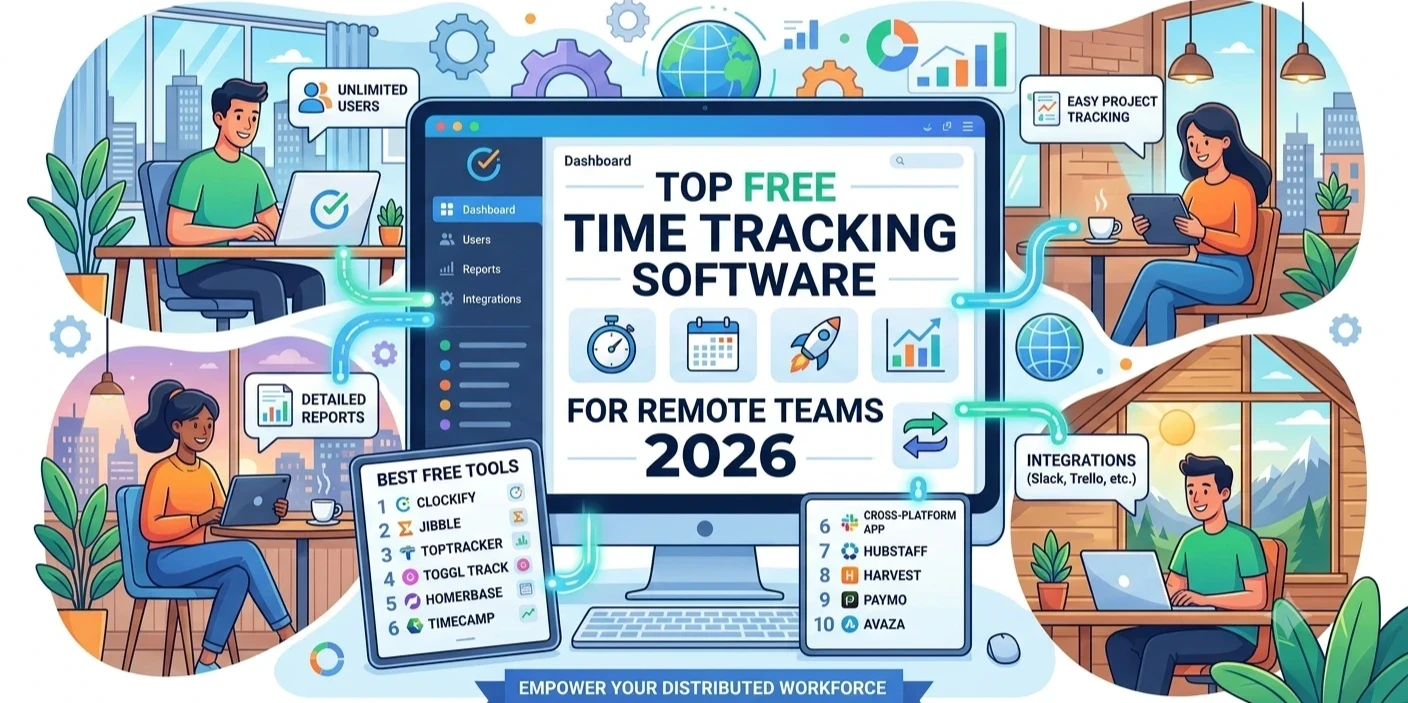
In this guide, we compare 10 of the best free or free-to-start time tracking software for remote teams in 2026.
| Software | Best For |
|---|---|
| AIWI Team | All-in-one remote workforce management |
| Clockify | Free team time tracking |
| Toggl Track | Simple time tracking |
| Jibble | Attendance and time tracking |
| Hubstaff | Time and productivity monitoring |
| Connecteam | Remote and frontline teams |
| Time Doctor | Remote employee monitoring |
| DeskTime | Automatic time tracking |
| Harvest | Time tracking and billing |
| TMetric | Time tracking for remote teams |
AIWI Team is an Employee Time Tracking System designed for office, remote, and hybrid teams.
Instead of providing only a timer, AIWI Team connects time tracking, attendance, productivity, tasks, projects, leave, payroll, and workforce management in one platform.
AIWI Team can automatically record logins, logouts, breaks, and active hours, reducing the need for manually maintained timesheets.
For remote teams, managers can also review active users, current tasks, sessions, and working hours through centralized dashboards.
AIWI Team supports Windows, macOS, and Linux, making it practical for distributed teams using different operating systems.
Best for: Remote teams that want time tracking combined with HRMS and workforce management.
Clockify is a popular time tracking platform for teams, freelancers, and project-based businesses.
It focuses on tracking time against projects and tasks and provides reports for understanding where working hours are spent.
Best for: Teams looking for straightforward time tracking.
Toggl Track focuses on easy-to-use time tracking for individuals and teams.
It is particularly useful for remote teams that need to track time across projects, clients, and tasks without implementing heavy employee monitoring.
Best for: Small remote and project-based teams.
Jibble combines employee time tracking and attendance management.
It can be useful for remote teams that need clock-in/clock-out functionality and working-hour visibility.
Best for: Remote teams prioritizing attendance and time tracking.
Hubstaff combines time tracking with workforce-management and productivity-monitoring features.
Depending on the plan, businesses can use features such as screenshots, activity monitoring, reporting, and workforce insights.
Best for: Remote teams requiring deeper productivity visibility.
Connecteam combines time tracking with scheduling, communication, and workforce-management tools.
It is particularly focused on frontline and distributed workforces.
Best for: Remote, field, and deskless teams.
Time Doctor combines employee time tracking with productivity monitoring and reporting.
It can help managers understand working hours, tasks, projects, and employee activity.
Best for: Remote teams that need time and productivity monitoring.
DeskTime provides automatic time tracking and productivity insights.
It can monitor time spent on applications and websites and provide reports on employee working patterns.
Best for: Teams wanting automatic time tracking.
Harvest combines time tracking with project management and invoicing capabilities.
It can be useful for agencies, consultants, and remote teams that bill clients based on tracked hours.
Best for: Client-service and billable-hour teams.
TMetric provides time tracking, project management, task tracking, and reporting features.
It can help remote teams understand how much time is spent on different projects and activities.
Best for: Remote project-based teams.
Time Tracking Software for Remote Teams is a digital system that records employee working hours and time spent on tasks or projects.
Depending on the platform, it may include:
For remote organizations, time tracking can create visibility without requiring employees and managers to work from the same physical location.
Remote teams can face challenges such as:
An Employee Time Tracking System can centralize this information and give managers a clearer understanding of working time.
AIWI Team goes further by connecting time data with attendance, leave, productivity, projects, and payroll-related workflows.
These terms are often confused.
Time tracking answers:
How much time was worked?
Employee monitoring can answer:
What applications, websites, tasks, or activities were involved during that time?
Some businesses only need basic time tracking. Others need productivity insights or optional screenshot monitoring.
The right approach depends on the team's workflow and the organization's privacy and monitoring policies.
Before choosing a Time Tracking Solution, consider:
Can the platform automatically record working time instead of relying entirely on manual timesheets?
Can employees and managers use the software from different locations?
Can employees connect time with specific tasks and projects?
Does the platform include attendance and clock-in/clock-out functionality?
Can managers understand work patterns without relying only on total hours?
If your business requires them, does the platform offer optional screenshot monitoring?
Can managers generate daily, weekly, and monthly reports?
Can tracked hours and attendance support payroll workflows?
For distributed teams, check whether the tracker supports Windows, macOS, and Linux.
There is no single best tool for every remote team.
If you only need a timer, a dedicated time tracking tool may be enough.
If you need time + attendance + productivity + tasks + projects + leave + payroll + workforce management, an integrated platform such as AIWI Team can provide a more complete solution.
Remote teams need more than a simple timer. They need accurate working hours, project visibility, attendance, productivity insights, and reliable workforce data.
For basic time tracking, tools such as Clockify or Toggl Track may be sufficient.
For businesses looking for a broader Remote Workforce Management Software solution, AIWI Team combines:
Time Tracking → Attendance → Productivity → Tasks → Projects → Leave → Payroll → Reporting
in one centralized platform.
The best option depends on your requirements. AIWI Team is a strong choice for businesses that want time tracking connected with HRMS and workforce management, while Clockify and Toggl Track are suitable for simpler time-tracking requirements.
Yes. Time tracking software can record employee working hours, sessions, breaks, tasks, and project time. AIWI Team supports automated employee time tracking for remote and hybrid teams.
Some platforms provide productivity monitoring in addition to time tracking. AIWI Team provides active-time and activity insights and optional screenshot capture.
Yes. AIWI Team supports remote, hybrid, and office-based teams and provides centralized time, attendance, productivity, and workforce visibility.
Yes. AIWI Team's Team Tracker supports Windows, macOS, and Linux.
AIWI Team currently offers a 90-day free trial with access to its features.

Christmas is a busy season for gift shops, retailers, bakeries, and online stores. Many businesses p
19 October 2026
Christmas is a time for sharing gifts and making memories with family, friends, and customers. The w
19 October 2026
A jewellery website can attract strong organic traffic and still generate fewer inquiries or sales t
1 October 2026
Be the first to share your thoughts
No comments yet. Be the first to comment!
Share your thoughts and join the discussion below.




.webp&w=3840&q=75)